

Which SATA Cable Do You Need for an HDD or SSD in 2026?
Choosing the wrong SATA connection can leave a new SSD undetected, restrict transfer speed, or cause repeated boot and data-transfer failures.
The safest solution is to match the drive, motherboard port, data connector, power connector, cable angle, and installation space before connecting anything. A standard internal SATA drive normally requires one 7-pin data connection and one 15-pin power connection.
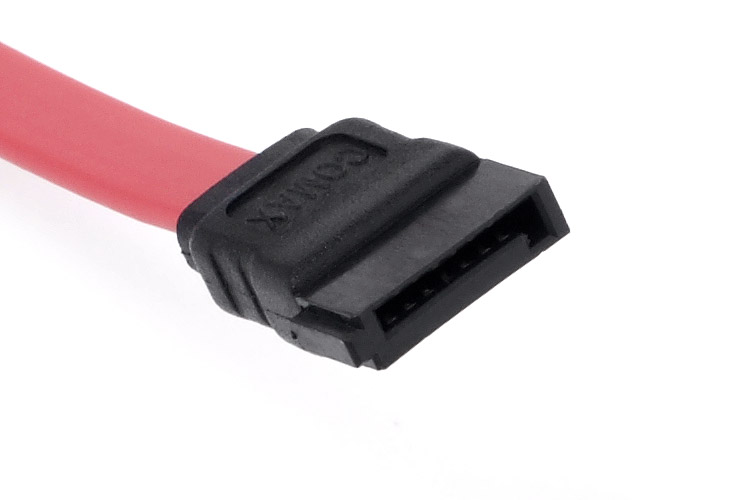
What Does a SATA Cable Connect?
Confusing a SATA data cable with a SATA power cable can prevent the drive from operating and may damage a connector if excessive force is used.
Identify the connectors by their pin count and function: the narrow 7-pin cable carries data, while the wider 15-pin connector supplies power. Both connectors use an L-shaped key that prevents correct components from being inserted backward.[2]
A 2.5-inch SATA SSD, 3.5-inch HDD, or SATA optical drive normally uses a data cable connected to the motherboard and a separate power cable from the power supply. An M.2 SATA SSD plugs directly into a compatible motherboard slot and does not require either external cable.
An NVMe M.2 SSD is not a SATA drive. NVMe storage normally communicates through PCI Express, so a SATA data cable cannot connect it or increase its performance.[3]
Which SATA Cable Type and Speed Should You Choose?
A loose, damaged, sharply folded, or poorly routed cable can cause intermittent drive detection, interface errors, and failed file transfers.
Use a short, undamaged SATA cable with secure connectors, suitable orientation, and a locking latch when the motherboard and drive support it. Straight connectors suit open cases, while right-angle connectors are useful behind drive cages or close to side panels.
| SATA Generation | Link Rate | Approximate Data Ceiling | Typical Application |
|---|---|---|---|
| SATA 1.5 Gb/s | 1.5 Gb/s | About 150 MB/s | Legacy computers and older drives |
| SATA 3 Gb/s | 3.0 Gb/s | About 300 MB/s | Older HDDs, SSDs, and optical drives |
| SATA 6 Gb/s | 6.0 Gb/s | About 600 MB/s | Modern 2.5-inch SATA SSDs and HDDs |
The drive, controller, and motherboard port negotiate the operating speed. Connecting a SATA 6 Gb/s SSD to a 3 Gb/s port normally works, but performance is limited by the slower interface.[1]
A SATA-to-USB adapter is useful for temporary file transfer or data recovery. A SATA power splitter may support additional drives, but its connector quality, wire size, total current, and power-supply capacity must be verified before use.
Send the required cable length, connector angle, latch type, shielding requirement, operating environment, drawing, and estimated quantity for a cable structure review.
How Do You Install and Troubleshoot a SATA Cable?
Connecting an internal drive while the system is energized can cause data loss, electrical arcing, or damage when the controller and power path are not designed for hot plugging.
Shut down the computer, disconnect external power, and confirm the motherboard port and drive orientation before installation. Hot swapping should only be used with a controller, operating system, enclosure, and power connection specifically configured for that function.
- Power down the computer. Switch off and unplug the power supply.
- Locate the motherboard SATA port. Check the motherboard manual because some ports may be disabled when certain M.2 slots are occupied.
- Connect the data cable. Align the L-shaped key and press gently until the connector is fully seated.
- Connect SATA power. Use the wider 15-pin connector from the power supply.
- Secure the cable. Avoid sharp folds, excessive tension, fan blades, and hot components.
Common symptoms of a bad SATA connection include a drive disappearing from BIOS, delayed booting, transfer interruptions, and increasing interface CRC errors. Replace the cable first, reseat both ends, and test another motherboard port before assuming the drive has failed.
S.M.A.R.T. attribute 199 is commonly used by SATA drives to record UltraDMA interface CRC errors. The total may not reset after replacing a cable, so monitor whether the value continues to increase rather than judging the drive only by its historical count.[5]
FAQ
Incorrect assumptions about SATA compatibility can lead to unnecessary SSD replacement, wasted troubleshooting time, and continued connection failures.
Use the following direct answers to identify the correct cable and avoid the most common installation mistakes.
Does a SATA SSD need both data and power cables?
Yes. A standard 2.5-inch SATA SSD normally requires a 7-pin data cable and a 15-pin power connector. An M.2 SATA SSD does not use external cables.
Do SATA cables affect SSD speed?
A correctly functioning cable does not make the SSD faster than its interface limit. However, a damaged or unstable cable can cause CRC errors, retries, connection drops, or lower negotiated performance.
Can a SATA 6 Gb/s cable work with an older motherboard?
Yes. SATA connections are generally backward compatible, but the drive will operate at the speed supported by the slowest connected component.
Is a right-angle SATA cable better than a straight cable?
Not electrically. A right-angle connector is better only when it reduces cable stress or improves routing inside a restricted space.
Final Engineering Recommendation
Based on 15 years of automotive wire harness experience, I recommend treating the SATA data cable, power cable, connector retention, bend radius, routing, and drive mounting as one complete connection system. A premium cable cannot compensate for a loose port, overloaded power splitter, damaged connector, or incorrect motherboard configuration.
For custom cable production, electrical compliance and manufacturing workmanship should be controlled separately. SATA requirements define interface performance, while IPC/WHMA-A-620 provides cable and wire harness workmanship and acceptance criteria.[4]
Send your application, connector orientation, cable length, environmental requirements, and expected quantity for a technical review or prototype sample.
Authoritative References
[1]SATA-IO — Serial ATA Specifications
[2]Eaton — SATA Cables, Connectors, and Speeds Explained
[3]NVM Express — NVMe Base Specification
[4]Global Electronics Association — IPC Standards Revision Table


